Frontend
React 19
The user interface is a React single-page application. The main app coordinates glossary generation, export actions, menu state, reminders, and per-term expansion flows inside one client-side app.
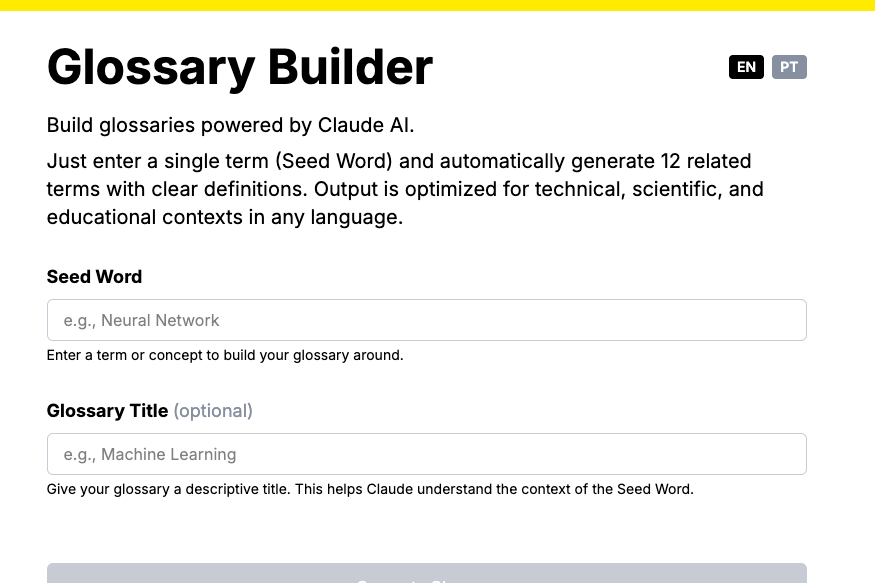
An AI-powered glossary generator built as a React single-page app. It takes a seed word, calls a provider-agnostic LLM layer through serverless API endpoints, generates a 12-term glossary, lets users expand individual terms, auto-saves work in the browser, and exports the result as markdown or a Word document.
Live at: https://glossary.sugiro.ai/
What is used in this project and what each layer is responsible for.
The user interface is a React single-page application. The main app coordinates glossary generation, export actions, menu state, reminders, and per-term expansion flows inside one client-side app.
The runtime code is written in TypeScript, including the frontend app and the serverless API handlers. Types are used for glossary objects, term payloads, translations, and API responses.
Vite powers the frontend development server and production build. The project also uses the Vite React plugin, which makes this a modern React app rather than a Next.js or Astro site.
A full set of rules embedded in the LLM prompts that govern every aspect of glossary quality: hierarchical term selection (foundational → core → applied), two-sentence definition structure (WHAT + WHY) with a special format for acronyms, importance scoring, bidirectional relationship consistency, and Learn More expansion rules for deeper explanations with cited sources. The rules are domain-agnostic — they apply to any subject (technology, science, humanities, business), with the seed word's field inferred automatically.
Glossary generation and term expansion run through a shared LLM abstraction. Gemini 2.5 Flash is the default provider (fastest on structured JSON at similar quality), DeepSeek is available through the same OpenAI-compatible path, and Anthropic (Claude Sonnet) is available when explicitly selected.
The backend lives in api/ as TypeScript functions. These endpoints handle prompt construction, model calls, JSON cleanup, validation, and error responses for the browser app.
The main runtime flow from seed word input to generated glossary output.
src/main.tsx mounts the React app and wraps it in a language provider. Vite serves the frontend during development and builds the static app bundle for production.
On startup, the app reads any saved glossary from localStorage and restores the last session. The UI language is also persisted and rehydrated from browser storage.
When a user generates a glossary or expands a term, the frontend posts JSON to /api/generate or /api/expand through utility wrappers in src/utils/llmApi.ts.
Each API function builds a structured prompt, sends it through the provider configured by LLM_PROVIDER, strips markdown wrappers from the response if needed, and parses the JSON. Generation then runs deterministic normalization in code — deduping terms, forcing the seed word first with importance 10, clamping importance scores, and removing related-term links that point to nonexistent or self terms — before returning a clean payload to the browser.
The generated glossary stays in React state, auto-saves to localStorage, and can be copied as markdown or exported as a DOCX file using browser-side file generation tools.
The project is organized as a frontend app with a small AI-focused backend.
package.json
vite.config.ts
tsconfig.json

src/main.tsx
src/App.tsx
src/index.css
src/utils/llmApi.ts
src/utils/storage.ts
src/i18n/LanguageContext.tsx

api/_llm.ts
api/_auth.ts
api/_validation.ts
api/generate.ts
api/expand.ts
src/content/GLOSSARY_RULES.md
The shape here is different from Card Tracker: this is not a file-driven Node app with route handlers inside a framework. It is a Vite frontend plus a separate api/ folder for serverless backend logic.
The persistence story is browser-first rather than database-first.
The app saves the generated glossary into localStorage automatically.
Expanded term details are also cached in localStorage for quick reopening.
Language preference is persisted in browser storage too.
This project does not depend on a database for normal use.
Markdown export is created client-side as a downloadable blob.
Word export is assembled in the browser using the docx package.
file-saver is used to download the generated DOCX file.
The app is designed around temporary working state plus exportable files.
The main complexity of this project is in prompt design, provider selection, and response shaping.
/api/generateThis endpoint asks the configured LLM to detect the seed word language, return translated UI labels when needed, create a glossary description, and generate exactly 12 structured terms with definitions and related terms in JSON form.
/api/expandThis endpoint asks the configured LLM for deeper explanation paragraphs and authoritative, domain-appropriate sources for a single glossary term — official docs and standards for technology, peer-reviewed journals and scientific bodies for science, primary sources for the humanities. It keeps the response scoped, structured, and source-oriented for the Learn More feature.
The practical commands and environment expectations for working on it.
npm install

vercel dev

npm run dev
npm run build
npm run preview
npm run lint
The key nuance is that vercel dev is the real full-stack local mode because it runs both the Vite frontend and the serverless API functions together. npm run dev is useful for frontend-only Vite work.
LLM_PROVIDER selects the provider: gemini by default, deepseek, or anthropic.
GEMINI_API_KEY is required for the default provider. DEEPSEEK_API_KEY or ANTHROPIC_API_KEY can be used when those providers are selected.
Node.js 18 or newer is expected by the project documentation.
Vercel CLI is part of the recommended local workflow.
There is no database to configure. The API endpoints are protected by a shared secret (API_SECRET on the server, VITE_API_SECRET in the frontend) plus a same-origin check and input sanitization.
Glossary Builder is a Vite + React + TypeScript application with a small Vercel serverless backend. Its core value comes from provider-configurable LLM generation, while the browser handles state, local persistence, and export. Compared with Card Tracker, it is more of an AI-assisted frontend app than a file-driven Node application.